Send Message with Feed Template
Feed Template
This basic message format contains images and text. It can include a list of items.
Scrap messages also use the feed template structure.
A scrap message is built from Open Graph Protocol information retrieved from the requested web page URL.
Use Case: Share service news or promotional events. A scrap message makes it easy to share a web page. Use the item area to create feed messages such as order details, catalogs, and receipts.
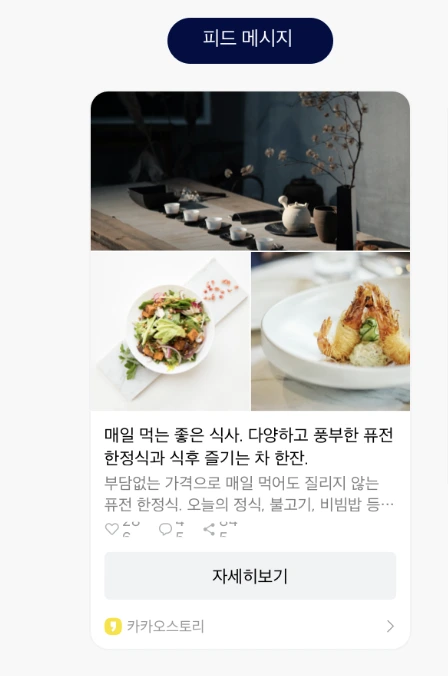
Template Type Definition
/**
 * Feed template class provided as a basic template.
 *
 * @property content Main content information of the message
 * @property itemContent Content to include in the item area, refer to [ItemContent]
 * @property social Social information about the content
 * @property buttons Button list, up to 2 buttons. Used when you want to change the button title and the link, or when you want to use two buttons
 * @property buttonTitle Set to change the default button title "Learn more". If used, the link to move when the button is clicked will be the value entered in the content
 */
export interface KakaoFeedTemplate {
  content: KakaoTemplateContent;
  itemContent?: KakaoTemplateItemContent;
  social?: KakaoTemplateSocial;
  buttons?: KakaoTemplateButton[];
  buttonTitle?: string;
}
Send Message to Myself
Use sendFeedTemplateToMe to send a template message to yourself.
export function sendFeedTemplateToMe(params: {
  template: KakaoFeedTemplate;
})
template: The template object.
Send Message to Friends
Use sendFeedTemplateToFriends to send a template message to your friends.
export function sendFeedTemplateToFriends(params: {
  template: KakaoFeedTemplate;
  receiverUuids: string[];
  includeFailureInfo?: boolean;
})
template: The template object.receiverUuids: List of friend uuids to send the message to. You can obtain these from the social package's Select KakaoTalk Friends or Get KakaoTalk Friends.
Pass includeFailureInfo: true to receive successful UUIDs and failures grouped by error. Omit it to receive the successful UUID array. See message results.
Refer to Component Types for detailed component types.
If you encounter any issues, refer to Troubleshooting.