Getting Started with Kakao Share
Before You Begin
Make sure to install the dependencies for the core package by referring to the official documentation. Also, complete the platform-specific configurations.
Getting Started
The share package provides Kakao Talk sharing and message sending.
share*Template and send*TemplateToMe return Promise<void> on Android, iOS, and web, with no success value. Sharing functions handle opening the sharing interface; they do not report whether the user sent the message. Friend-message functions return per-recipient results.
Refer to the Official Documentation for more details.
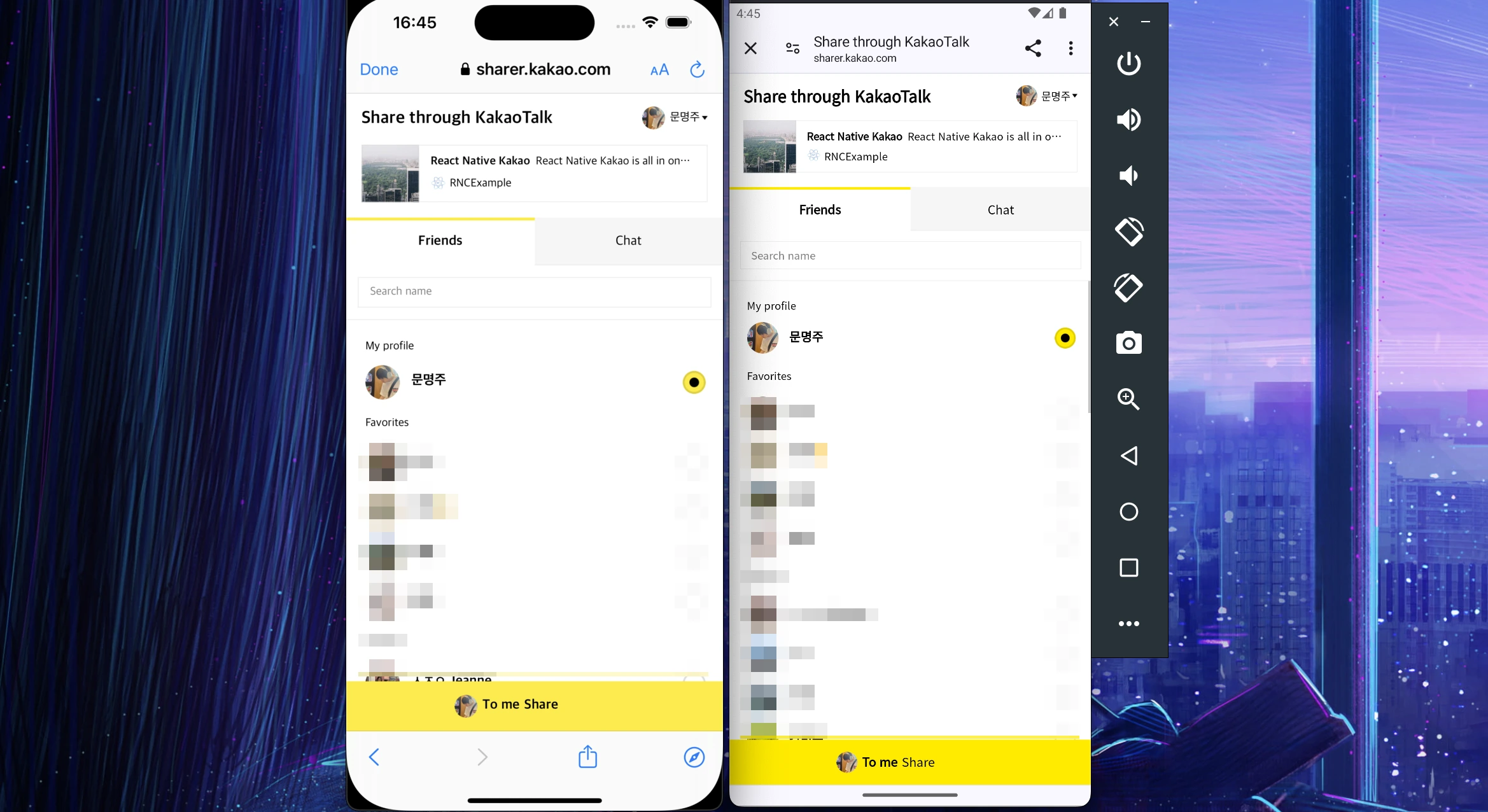
The image above shows browser sharing when KakaoTalk is not installed. If KakaoTalk is installed on the device, sharing uses KakaoTalk.
Installation
- NPM
- Yarn
- Expo
npm install --save @react-native-kakao/core @react-native-kakao/share
yarn add @react-native-kakao/core @react-native-kakao/share
npx expo install @react-native-kakao/core @react-native-kakao/share
Install share with core. Add the user package to handle Kakao Login, or the social package to select friends for messaging.
Configure the Console
Before implementing Kakao share and messaging, configure the additional settings in the Kakao developer console.
Refer to the Official Documentation for more information.
Kakao Talk sharing availability
After initializing the SDK, call isKakaoTalkSharingAvailable() to check whether Kakao Talk sharing can run on the device. This only queries availability; it does not open Kakao Talk or the browser.
import { isKakaoTalkSharingAvailable } from '@react-native-kakao/share';

const isAvailable = await isKakaoTalkSharingAvailable();
Android and iOS return the Kakao SDK's result. iOS requires the query schemes in Common iOS setup. Web returns false because it cannot inspect installed apps. Existing sharing APIs still support web sharing.
Share target selection settings
All share*Template functions accept pickerSettings to select the recipient list and selection limit in Kakao Talk. These settings do not apply to send*TemplateToMe or send*TemplateToFriends.
import { shareTextTemplate } from '@react-native-kakao/share';

await shareTextTemplate({
  template: {
    text: 'Content to share',
    link: { webUrl: 'https://example.com' },
  },
  pickerSettings: { type: 'chat', limit: 2 },
});
| Option | Accepted values | When omitted |
|---|---|---|
type | default: friends and chats, friend: friends, chat: chats | Shows friends and chats. |
limit | Integer from 1 to 10 | Allows up to 10 recipients. |
Invalid values reject before calling the SDK. Kakao limits group chat selection to five when using chat.
Web requires JavaScript SDK 2.8.0 or newer and Kakao Talk 26.2.0 or newer. Restricting the list to friends or chats requires app permission; Kakao applies its defaults without that permission.
Android and iOS forward these values to the SDK's public shareType and limit parameters. However, Kakao's guide still lists native support as planned, so their effect on the native Kakao Talk screen is not guaranteed. Native browser fallback uses the default selection screen because the SDK's URL builders do not accept these settings.