Kakao Login
Logging In
Use Kakao Login to register users, log in, request additional consent, and obtain agreement to service terms.
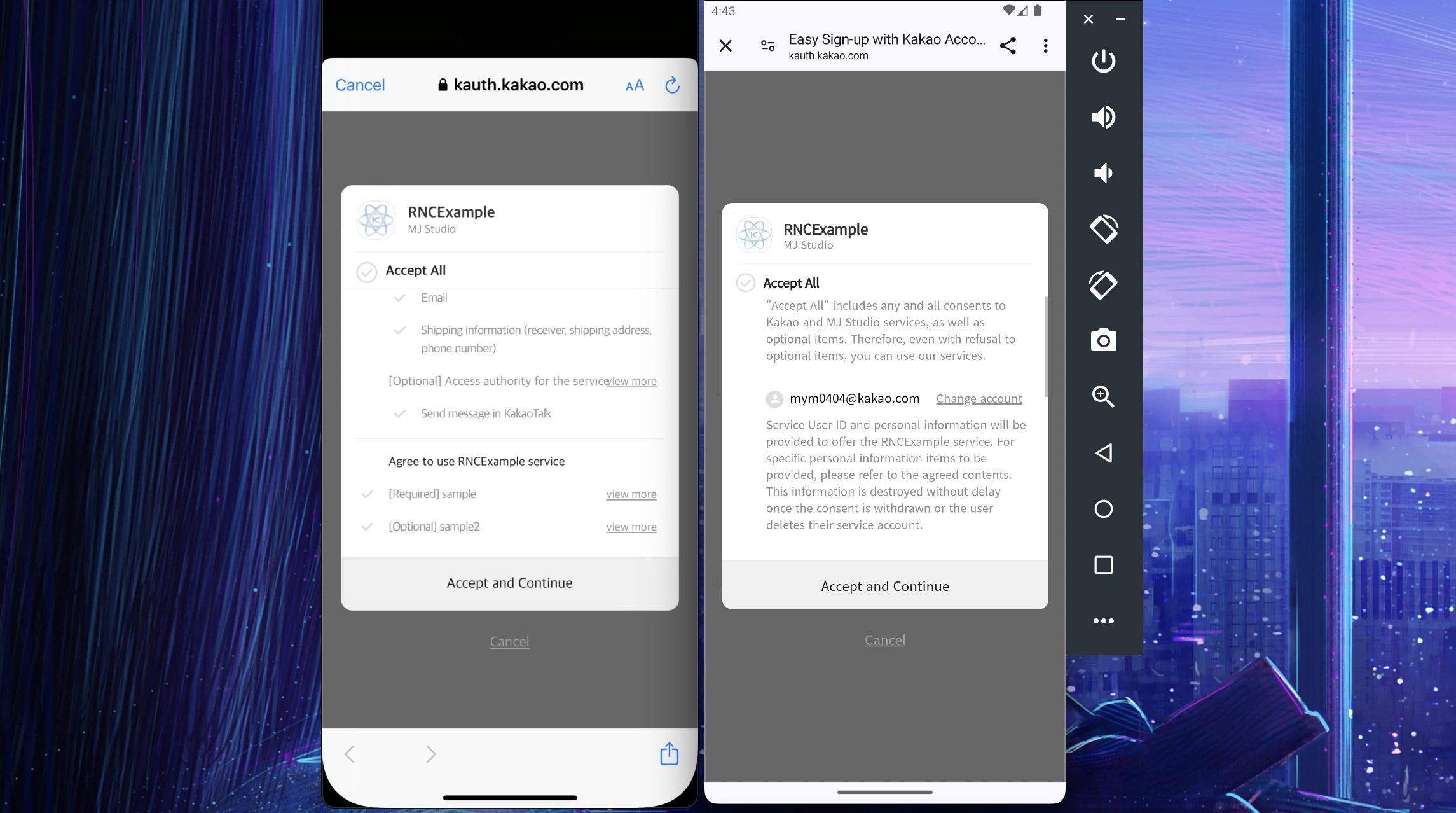
Usage
Calling login() starts login immediately.
To let Android and iOS users choose a login method, use the login method selector.
import { login } from '@react-native-kakao/user';

...

login()
Parameters
All parameters are optional.
serviceTerms: Selects the service terms shown on the Kakao login consent screen to match the user's registration flow. Set theserviceTermsparameter to the list of service term tags to include when requesting Kakao login. You must include at least one term set as [required consent] to display the consent screen and obtain consent.
This feature is only available for services implementing Kakao Sync.
prompts: Pass flags to control the login process.
Pass Login, Create, Cert, or SelectAccount as a string[].
For detailed descriptions, refer to the Official Documentation.
These flags are sent when logging in with a Kakao account instead of KakaoTalk.
scopes: Used when requesting additional consent from the user. Pass the items that require consent.
Refer to the Official Documentation for details.
Check the xxxNeedsAgreement properties in the me() function to get items that require additional consent.
When scopes are provided, login always uses a Kakao account.
-
useKakaoAccountLogin: Attempt login with a Kakao account instead of KakaoTalk. -
android.requestCode: Pass a KakaoTalk login request code to the Android SDK. It accepts a 32-bit integer from-2147483648to2147483647. Omitting it preserves the SDK default. Android SDK2.25.1currently uses this value only in diagnostic logs; it does not distinguish result callbacks. It does not apply to account login or additional consent, and is ignored on iOS and web.
await login({ android: { requestCode: 20001 } });
ios.launchMethod: ChooseUniversalLinkorCustomSchemewhen switching to Kakao Talk on iOS. The default isUniversalLink. It does not apply when Kakao Talk is unavailable or account login is requested, and is ignored on Android and web.
await login({ ios: { launchMethod: 'CustomScheme' } });
This controls how Kakao Talk opens. To change the callback URL used to return to your app, configure customScheme during SDK initialization.
channelPublicIds: Pass KakaoTalk channel profile IDs as astring[]to select the channels shown on the login consent screen. Android, iOS, and web use the same option. Omit it or pass an empty array for the default login flow.
This feature requires prior approval from Kakao and business channels connected to the app. Kakao displays at most two channels in the supplied order. It cannot request channel consent again from users who are already connected and registered. See dynamic channel consent for the requirements.
Pass a list such as ['_Abcdef', '_Ghijkl']. Web converts it to the SDK's channelPublicId string, so callers do not need to join the IDs. Web login also requires web.redirectUri.
loginHint: An email address, phone number, or Kakao Mail ID to prefill the ID field on the Kakao Account login screen. Supported on Android, iOS, and web. The ID screen may be skipped when logging in through KakaoTalk or when the browser already has an account session.
Request Kakao Account login as follows to display the ID screen. The hint only fills the field; it does not check whether the account exists.
login({
  useKakaoAccountLogin: true,
  prompts: ['Login'],
  loginHint: 'user@example.com',
});
On web, also pass web.redirectUri as described in Web login. When both loginHint and web.loginHint are provided, loginHint takes precedence.
nonce: A value used to prevent ID token replay attacks. The value you pass is returned in thenonceclaim of the issued ID token.
Refer to the Official Documentation for details.
This value is only meaningful for apps with OpenID Connect enabled.
The API throws errors under the following conditions:
- If
useKakaoAccountLogindoes not exist or isfalse,promptsandscopescannot be passed.
For KakaoTalk login, prompts and scopes cannot be passed (Native SDK restriction).
- If
scopesare passed,serviceTerms,prompts, andchannelPublicIdscannot be passed.
When requesting additional consent, serviceTerms and prompts cannot be passed together (Native SDK restriction).
- On Android and iOS,
loginHintcannot be combined withscopes,serviceTerms, orchannelPublicIds. The iOS SDK does not expose this combination, so native platforms throw before invoking the SDK. Web login hints do not apply this restriction.
Response
The API returns token information in a Promise.
The response includes the following:
{
  accessToken: string;
  refreshToken: string;
  tokenType?: string;
  idToken?: string;
  accessTokenExpiresAt: number; // unix
  refreshTokenExpiresAt: number; // unix
  accessTokenExpiresIn: number; // seconds
  refreshTokenExpiresIn: number; // seconds
  scopes: string[];
};
Logging Out
You can log out using logout(). Its Promise<void> resolves without a success value.
Revoking Account Linkage
Use unlink() to revoke account linkage. Its Promise<void> resolves without a success value.
Checking Current Login Status
Use isLogined() to check if the user is currently logged in. It returns a Promise<boolean>.
Checking KakaoTalk Availability
Use isKakaoTalkLoginAvailable() to check if KakaoTalk login is available. It returns a Promise<boolean>.
Complete signup in a manual connection app
If automatic connection on login is disabled, call signup() after completing your service signup flow to connect the user to the app. Do not call it for an app that uses automatic connection.